Have you always wanted to get a new phone case for your phone and/or personal electronic device, and do not know where to get one from? Welcome to Shop Amazing, where we have rounded up most of the best phone accessories and electronics. And shopping with us is as easy as A, B, C.
To start, you will just go to shopamazing.co.ke on your browser of choice. You will be welcomed with our homepage, as shown in the picture below.
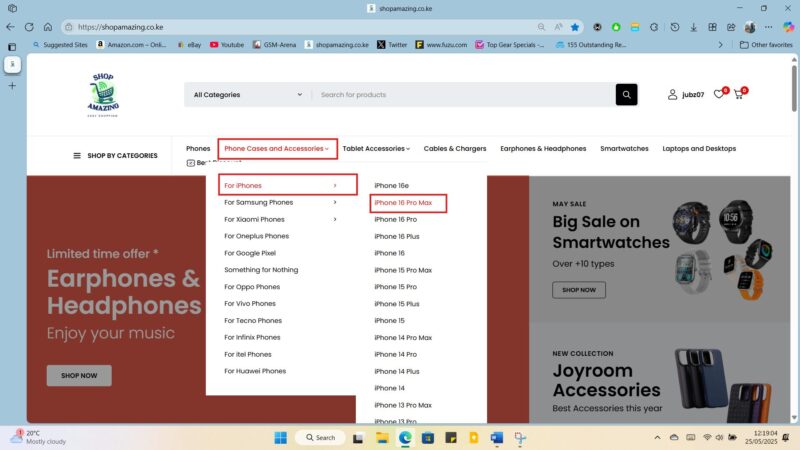
There are two ways to search for what you are looking for, and we have made them easier for you. The first way is by exploring our menu and navigating all the way to the exact product that you are interested in. For example, let’s say you want a phone cover for the iPhone 16 Pro Max and you do not know exactly what you want.
Navigate to Phone Cases and Accessories on the menu tab.
If using a computer, hover your mouse above the Phone Cases and Accessories for a drop-down to appear. If using a phone, touch the down arrow button for the drop-down to appear and navigate to the iPhone 16 Pro Max.
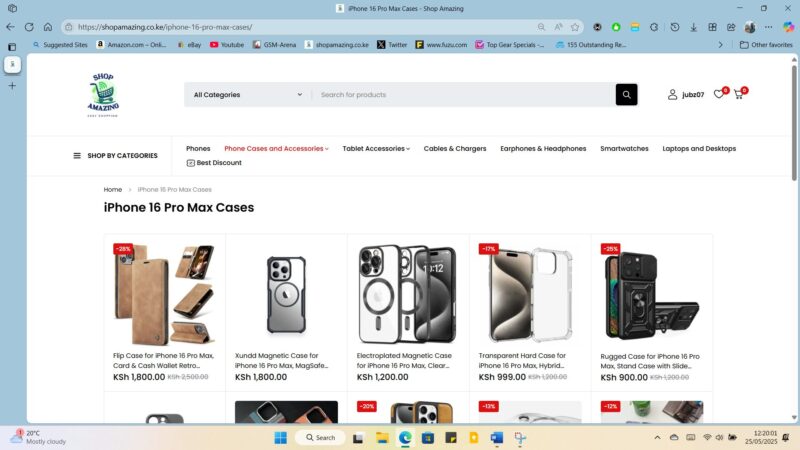
You will see all phone cases and accessories (camera lens protectors and screen protectors) that we have.
From there, choose exactly what you are interested in and enter the page
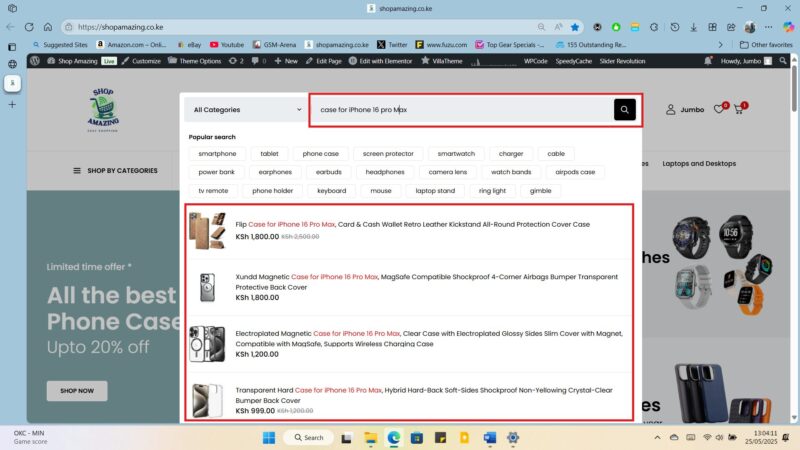
The second method is through the search method. This method is for the people who know exactly what they want and they can just search for it from the search bar on the top par of every page on our website. For example, you can search ‘Case for iPhone 16 Pro Max’ to bring results for cases for iPhone for 16 Pro Max or ‘Flip Case for iPhone 16 Pro Max’ to bring the exact product.
5. On the product page it’s important to read all the details of the product. That is, the product name, short description, the long description and also the package information of the product. They all contain vital information of the product.
6. Once you are happy which your choice, you can select the ‘buy now’ button, or ‘add to cart’ button if you want to continue shopping for something else and pay for the consolidated package together. If an item has an option, either colour, size or amount option, you will need to select the option that you want first before pressing ‘buy now’ or ‘add to cart’ button.
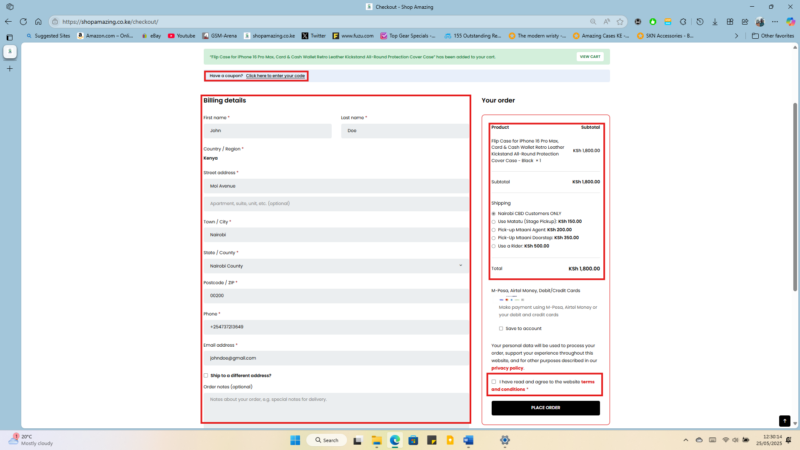
7. The next step after pressing the buy now button will be the checkout page, where you will confirm what you have chosen and see the amount. Still on this page, you will have to fill in your billing details since this information is what will help us be able to get the details for the delivery of your product. Add a coupon code if you have received one from us. Once satisfied that you have provided the right information, you will have to accept our privacy policy and terms and conditions before clicking the ‘place order’ button. You can choose to open an account if you so wish on this page.
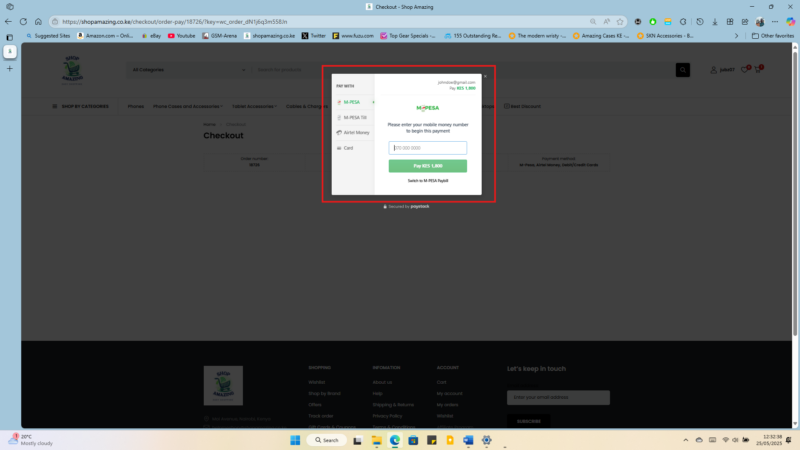
8. You will the be redirected to the payment page where you will input your mode of payment, M-Pesa, Airtel Money or Pay with Bank Debit/Credit Card. For those using M-Pesa or Airtel money, a pop up will come to your phone to put in your pin code for your preferred payment method and an order will be executed.
9. You will be redirected to the ‘order successful’ page, and an email will be sent to your provided email address with a confirmation of the order and receipt of the order.
10. Now all you will have to do is wait for a call from us to confirm your order and let you know of the courier that we will choose for the delivery of your product.
It is also important to read our terms on the shipping and refund page to know how long shipping will take and, in case of any defective product, how to get a refund of the product.